Rufus downloaded from the official site and installed on your computer
Instructions
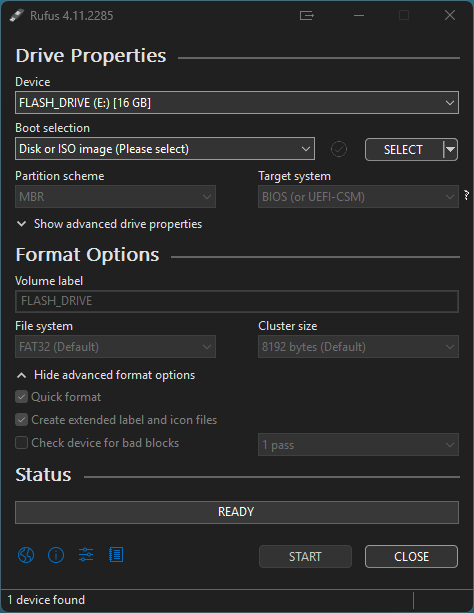
Launch Rufus and select your USB drive.
Choose the downloaded ubcd*.iso as Boot selection.
Partition scheme: MBR. Target system: BIOS or UEFI-CSM. See above.
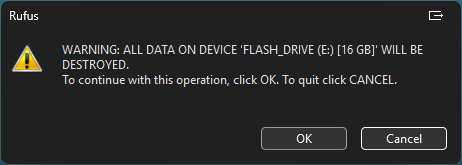
File system: FAT32. Click Start. When prompted, select Ok to acknowledge Destroying All Data on the Flash Drive. Note that this is required to create the drive; be sure anything that is on it is backed up beforehand.
When and if prompted to choose between ISO Image mode and DD Image mode,
select ISO Image mode (Recommended). Use DD mode only if the USB
fails to boot afterward.
Troubleshooting
If the ISO fails to boot, verify the SHA256 checksum and re-write the USB.
On UEFI-only machines with Secure Boot, temporarily enable Legacy/CSM or use YUMI/Ventoy.
Additional troubleshooting information available in our FAQ.